If you’ve ever sat in front of a spreadsheet trying to figure out lease liabilities, right-of-use assets, and discount rates all at once — you know how overwhelming IFRS 16 can feel.
IFRS 16 (International Financial Reporting Standard 16) changed the way companies report leases. Since it came into effect in January 2019, businesses around the world have had to bring almost all leases onto their balance sheets. That sounds simple enough, but the actual calculations? Not so much.
The good news is that you don’t have to do it all by hand. The right IFRS 16 lease accounting calculator can turn a complex, time-consuming process into something manageable. But with so many tools out there, how do you know which one is right for your business?
That’s exactly what this guide is here to help you figure out.
What Is IFRS 16 and Why Does It Matter?
Before we talk about calculators, let’s quickly recap what IFRS 16 actually requires.
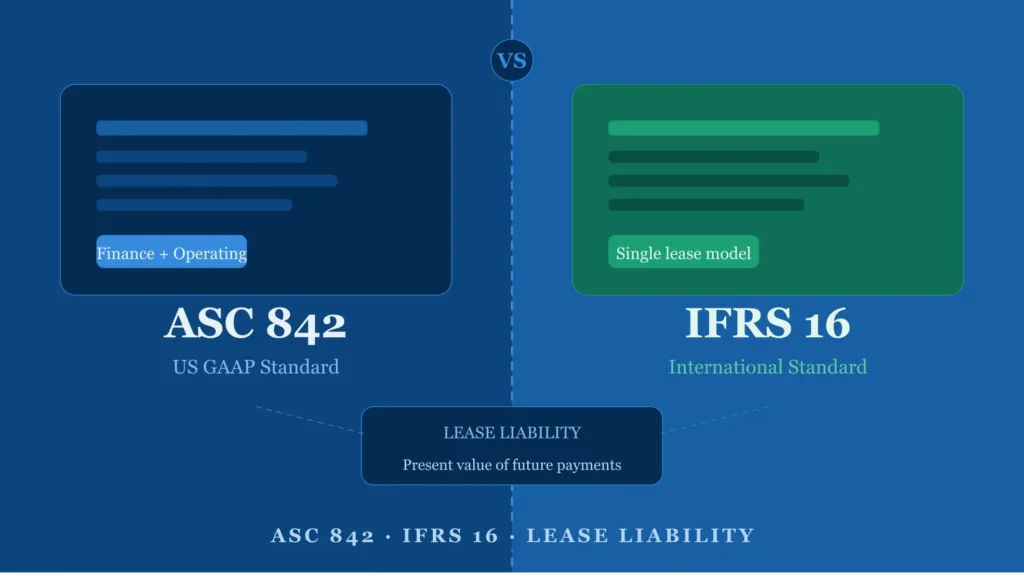
Under IFRS 16, a lessee (the person or company renting something) must recognize most leases on the balance sheet. This means two things appear:
- A right-of-use (ROU) asset — the value of your right to use the leased item
- A lease liability — the present value of future lease payments you owe
Previously, operating leases were kept off the balance sheet. IFRS 16 ended that. Now, whether you’re leasing office space, vehicles, equipment, or even software licenses, you likely need to account for it properly.
This has a big impact on key financial ratios like EBITDA, debt-to-equity, and return on assets — which is why getting the numbers right is critical not just for compliance, but for business decisions too.
Why Manual Calculations Fall Short
Many finance teams start with Excel. And while spreadsheets are great for a lot of things, they come with serious risks when it comes to IFRS 16:
Human error is easy. Lease accounting involves dozens of variables — lease term, incremental borrowing rate, residual value, escalation clauses, and more. One wrong formula can throw off your entire balance sheet.
Lease modifications are tricky. When a lease changes — say, you extend the term or renegotiate the rent — the calculation has to be remeasured from scratch. Doing this manually across multiple leases is both painful and error-prone.
Audit trails are weak. Auditors want to see how you arrived at your numbers. A spreadsheet without version control and proper documentation doesn’t give them that confidence.
Scalability is limited. If you manage 5 leases, Excel might work. If you manage 500, it becomes a nightmare.
This is where a dedicated IFRS 16 calculator or software tool becomes essential.
Key Features to Look for in an IFRS 16 Calculator
Not all calculators are created equal. Here’s what to look for when choosing the right tool for your business:
1. Automatic Present Value Calculations
The core of IFRS 16 compliance is calculating the present value of future lease payments using the appropriate discount rate. A good calculator should handle this automatically once you input the lease details.
2. Support for Variable Lease Payments
Some leases include variable payments tied to an index or rate (like inflation or CPI). Your calculator should be able to handle these scenarios, not just fixed payment schedules.
3. Lease Modification Handling
Lease terms change. Your tool should support remeasurement events — including changes in lease term, payment amounts, or discount rates — without requiring you to start from scratch.
4. Multiple Currency Support
For businesses operating internationally, multi-currency functionality isn’t a nice-to-have — it’s essential.
5. Journal Entry Generation
Beyond just the numbers, a great IFRS 16 tool will automatically generate the accounting journal entries (initial recognition, interest expense, depreciation) so your team spends less time on data entry.
6. Audit-Ready Reports
Look for tools that produce clear, audit-friendly reports — including amortization schedules, disclosure notes, and reconciliation reports.
7. Integration with Accounting Software
If your calculator can connect to your existing ERP or accounting software (like SAP, Oracle, Xero, or QuickBooks), that’s a major time-saver.
Types of IFRS 16 Calculators Available
Free Online Calculators
Our free IFRS16Calculator.Online available that handle IFRS 16 calculations directly and very easily. This work well if you have a small and large number of simple, fixed-rate leases. However, they typically lack support for complex scenarios, modifications, and reporting.
Excel-Based Templates
Several accounting firms and software providers offer pre-built Excel templates specifically designed for IFRS 16. These can be more robust than a basic online calculator, especially if they include built-in formulas, dashboards, and disclosure checklists.
Best for: Small to mid-sized companies with moderate lease portfolios who are comfortable with Excel.
ERP Modules
If your company already uses SAP, Oracle, or Microsoft Dynamics, these platforms have IFRS 16 modules built in. While they require more setup, they offer seamless integration with your existing financial data.
Best for: Large enterprises already using a major ERP system.
How to Choose the Right Calculator for Your Business
Here’s a simple way to think through your decision:
Step 1 — Count your leases. If you have fewer than 20 leases with simple, fixed structures, a good Excel template may be sufficient. If you have 50+ leases, or leases with complex terms, you need dedicated software.
Step 2 — Assess your team’s capacity. Do you have an accountant comfortable with complex spreadsheets? Or do you need a tool that does the heavy lifting automatically?
Step 3 — Think about audit requirements. If your company is audited externally — or plans to be — you need a tool that produces clean, traceable reports. Auditors will scrutinize your IFRS 16 disclosures closely.
Step 4 — Consider your budget. Dedicated software has a cost, but so does the time your team spends doing things manually. Calculate the time savings and weigh it against the subscription fee.
Step 5 — Look for a trial. Most reputable IFRS 16 software providers offer a free trial. Take advantage of that to test whether the tool fits your workflow before committing.
Common Mistakes to Avoid
Even with a good calculator, these mistakes trip up many finance teams:
- Using the wrong discount rate. IFRS 16 requires the use of the rate implicit in the lease, or if that’s not available, the lessee’s incremental borrowing rate. Using an incorrect rate will distort your liability.
- Ignoring short-term and low-value exemptions. IFRS 16 allows exemptions for leases under 12 months and for assets with a low value. Not applying these correctly can lead to over-reporting.
- Forgetting to reassess lease terms. If there’s a reasonable certainty of exercising a renewal option, that period must be included in the lease term — and this needs to be reviewed regularly.
Final Thoughts
IFRS 16 compliance doesn’t have to be a source of stress. With the right calculator or software in your corner, you can handle lease accounting accurately, efficiently, and with full confidence during audits.
The key is choosing a tool that matches your company’s size, complexity, and budget. Whether you go with a free online tool, an Excel template, or enterprise-grade software, make sure it covers the fundamentals: present value calculations, modification handling, journal entry generation, and clean reporting.
Take the time to evaluate your options carefully. The right IFRS 16 calculator won’t just help you stay compliant — it’ll give your finance team back hours every month and reduce the risk of costly errors.